
Customaite is moving beyond extraction into richer, more self-service enrichment, and this post explains why the new product data management UI is a key step for customs teams.
Product data management UI
The product data management UI gives customs teams full, self-service control over product master data, so day-to-day updates no longer depend on Excel files, integrations, or IT requests.
.png?width=1902&height=912&name=image%20(20).png)
What’s new
You can now manage master data for both product groups and products inside Customaite. Easily add, edit, or delete products and product groups, bulk import large product lists when needed, and keep everyone aligned by sharing one controlled, always up-to-date dataset across your entire team.
Why it matters
Product data is the most impactful form of internal enrichment. It powers HS code mapping, links internal product codes to classifications, and fills missing details like descriptions, values, and prices. With shared, real-time product data in Customaite, declarants work faster, with more consistency, and with fewer late-stage corrections.
How it works
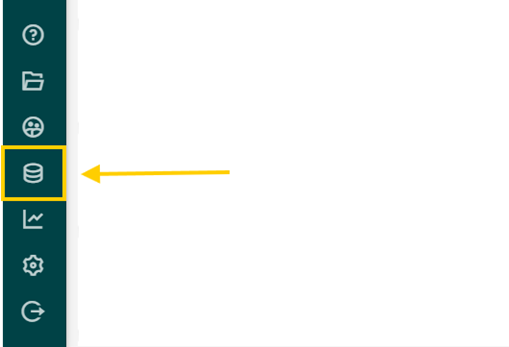
1. Go to product management
Open the new product management area in Customaite. You will see a structured overview of your product groups and products, making it easy to navigate even large catalogues.
2. Maintain product groups and products in place
-
Create or update product groups to reflect how your organisation clusters goods (for example by family, brand, HS logic, or internal category).
-
Add new products individually, or open any product to edit key fields such as internal codes, HS mappings, descriptions, origin, values, or other attributes you maintain for enrichment.
-
Remove outdated products or groups to keep your master data clean and reliable.
Changes are saved directly in Customaite, so the latest data is immediately available for enrichment during document processing.
3. Use bulk import for scale
When you need to add or refresh many products at once, upload a file through bulk import. The UI is designed for large lists, so you can update hundreds or thousands of products in one go instead of working line-by-line. After import, you can quickly review and adjust any entries in the interface.
4. Enrichment happens automatically during extraction
Once your product data is in Customaite, the enrichment layer applies it while documents are processed. That means extracted line items are automatically matched to your master data, filling gaps and standardising values before you export a proposal into your declaration software.
Blogpost
From extraction to enrichment: a new milestone for Customaite
Discover more features
Explore the tools that help you prepare declarations faster, with cleaner data and less manual work.